Change Language
Shiftic works in English and Swedish. You can switch any time from your account settings. The change takes effect right away. No reload or sign-out needed.
Step 1: Open the profile menu
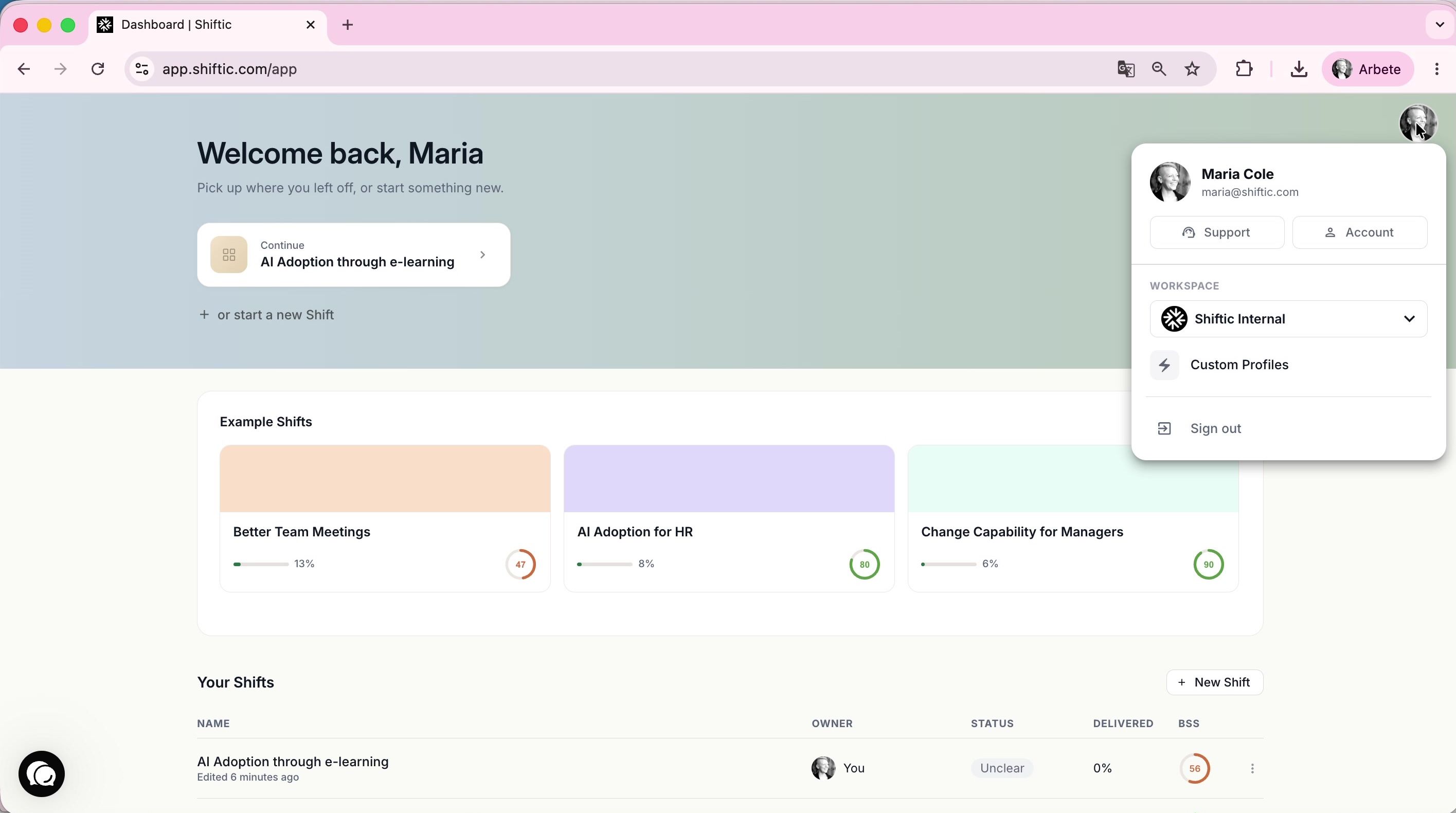
Click your profile picture in the top-right corner. A small menu opens with your account details and workspace.
Step 2: Open your account
Click Account in the menu. This takes you to your account page.
Step 3: Go to Language
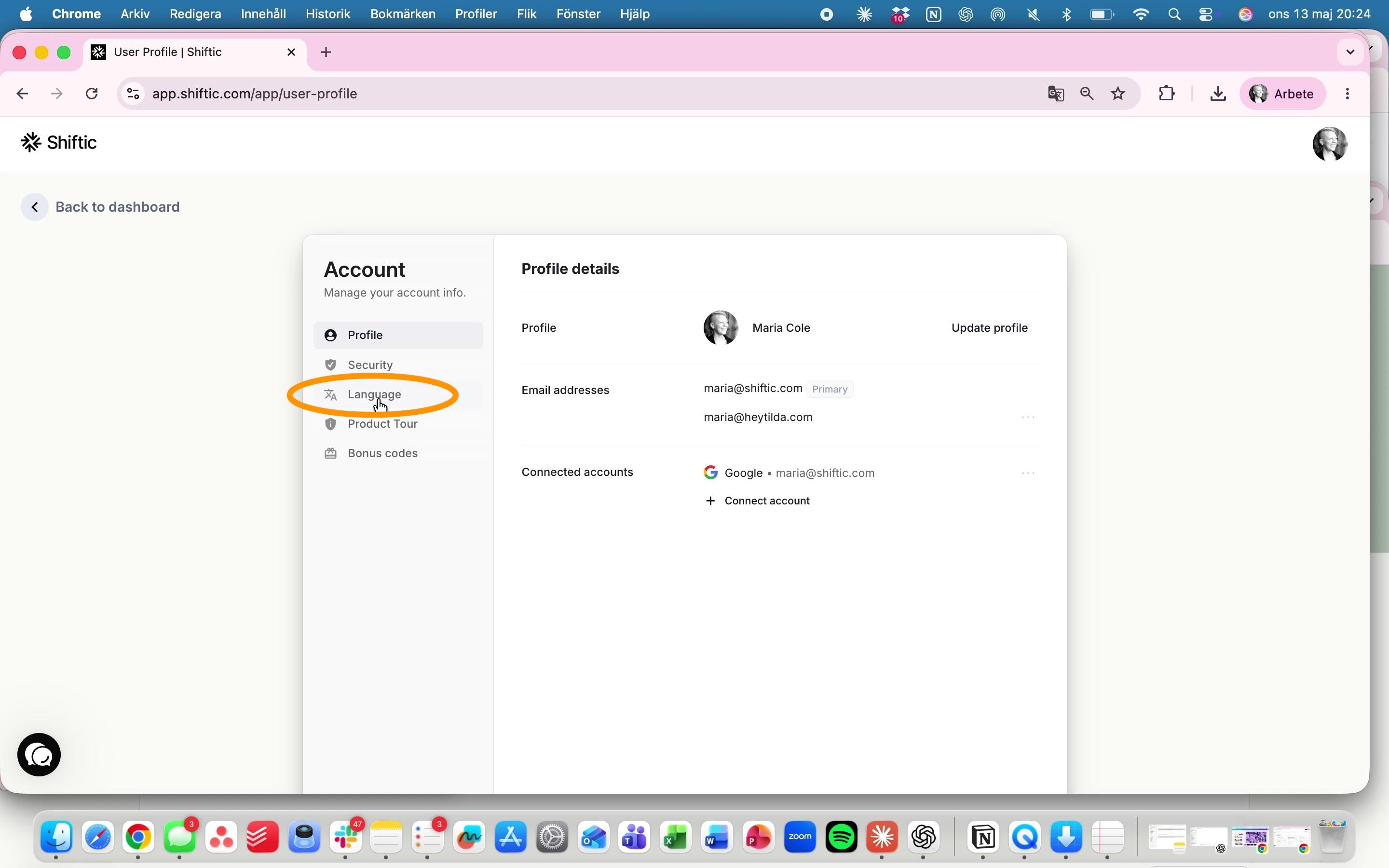
Click Language in the left-hand menu. You’ll see the available languages as two cards.
Step 4: Pick your language
Click the language you want. A checkmark appears next to it, and the interface updates instantly.
Good to know
Your choice is saved to your profile. It stays the same on every device you sign in from.
Switch back any time by repeating the same steps.
If a label doesn’t translate right away, refresh the page.
Was this helpful?
Still need help? Ask the team